A Guide to AI Filmmaking Course Curriculum Tools
An AI filmmaking course provides a structured learning path for creators. Understanding the ai filmmaking course curriculum tools is the first step to producing narrative content with generative AI. These courses offer a curriculum guiding students from an idea to a final piece. For example, the AI Microdrama Masterclass, taught by AI filmmaker Austin Zartman, focuses on creating vertical series for social platforms. The course provides a step-by-step workflow, practical assignments, and an overview of the specific software, AI models, and platforms required for AI filmmaking.
What is the curriculum of an AI filmmaking course?
An AI filmmaking course curriculum is structured around a six-step production process that takes a project from initial idea to final export. In his AI Microdrama Masterclass, instructor Austin Zartman outlines this process as concept development, writing, image generation, video generation, editing, and sound design. The primary goal is to equip students to create their own vertical video series using generative AI tools.
This structured workflow provides a clear roadmap for production:
-
Concept Development: This initial phase focuses on high-level questions about the story. Students determine the core conflict, characters, and overall story arc. Zartman explains this is the stage to define the visual style, using references to establish a look, such as a "1980s sci-fi anime." This conceptual work is vital before using any of the technical ai filmmaking course curriculum tools.
-
Writing: Once the concept is established, the next step is writing the script. The course advocates for using standard screenplay format, which provides a solid foundation for the subsequent production stages and integrates well with the ai filmmaking course curriculum tools designed for script breakdown.
-
Image Generation: The written screenplay is then translated into a visual shot list. The goal of this phase is to create a complete storyboard, allowing creators to see the visual narrative of the episode from beginning to end before any video is generated.
-
Video Generation: In this step, the still images from the storyboard are animated into short video clips. This is where the static visuals are brought to life with motion, forming the raw footage for the episode.
-
Editing: The generated video clips are imported into an editing program and arranged on a timeline. This is where the episode starts to take shape, as transitions are added and the flow and pacing of the story are established using a combination of platform-native and external ai filmmaking course curriculum tools.
-
Sound Design: The final step involves adding all audio elements. This includes recording or generating voiceovers, incorporating sound effects to build the world, and adding a musical score to enhance the emotional tone of the piece. The course covers a range of ai filmmaking course curriculum tools for this purpose.
What AI Filmmaking Course Curriculum Tools Are Taught?
An AI filmmaking course teaches a stack of integrated tools for each stage of production. The selection of these ai filmmaking course curriculum tools includes a central platform, specific AI models, and external software for editing and sound. The AI Microdrama Masterclass uses the Leyline platform as a hub and incorporates AI models like C Dance 2.0, editing software like DaVinci Resolve, and sound design tools like 11 Labs and Pixabay.
For the pre-production and generation phases, the course leverages specific platform features. Austin Zartman highlights a built-in tool on Leyline that performs a script breakdown. He explains, "you upload your script... and it will do a breakdown of every single shot." This tool automates the creation of a shot list, converting script lines into shots with specified camera angles like wide, medium, or close-up, preparing the project for image generation.
When it comes to video generation, the course covers the practical differences between AI models. Zartman notes that "C Dance 2.0 is sort of the newest best model," while a model like WN 2.5 is cheaper and effective for simpler shots, such as "a car tire spinning." He clarifies that newer, more expensive models are better at handling complex scenes with multiple simultaneous actions, like "a trail of ants is crawling across the ground and a character walks through the frame and rain is pouring down."
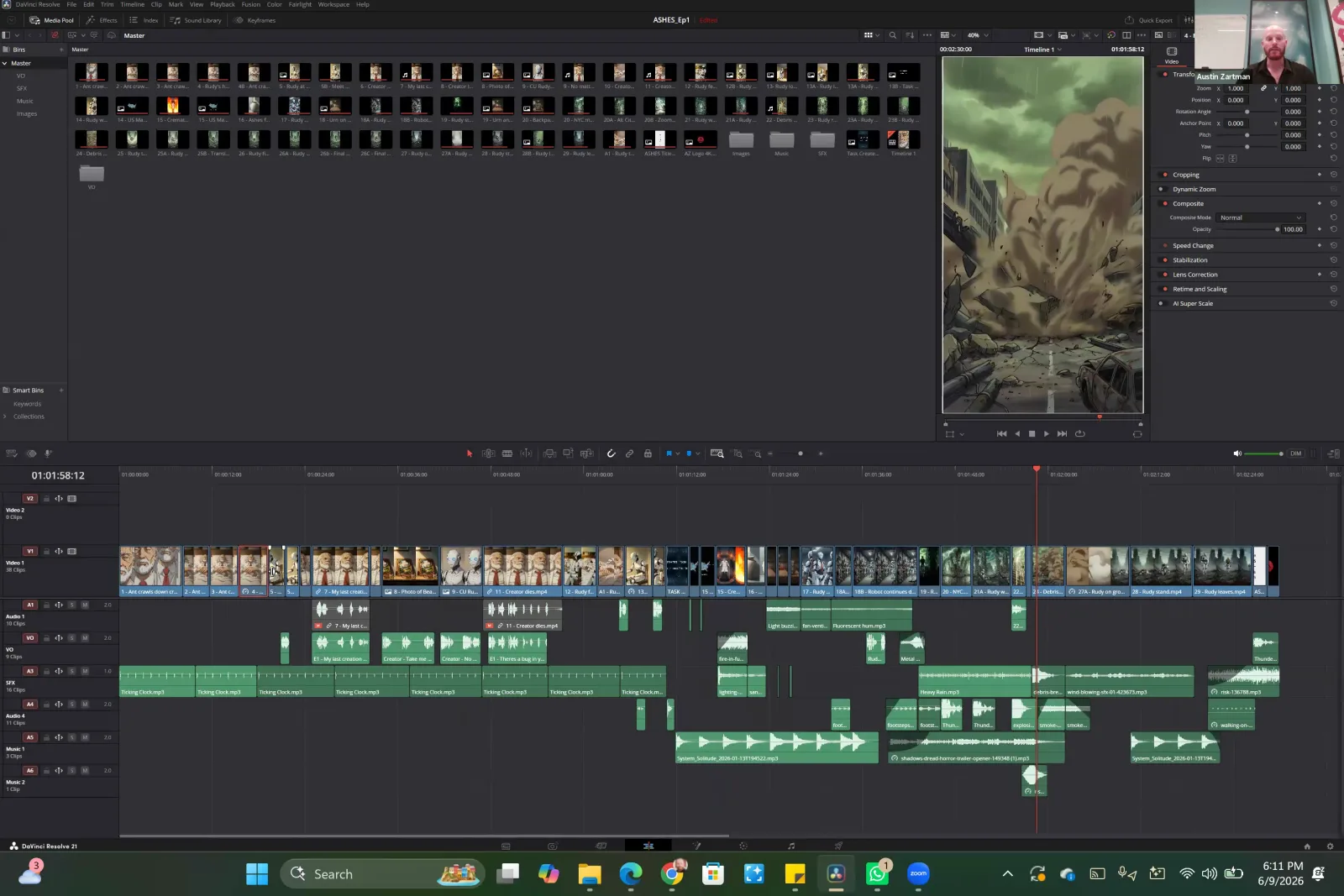
For post-production, the course recommends both integrated and external tools. While Leyline has a built-in timeline editor, Zartman suggests free external programs for creators who want more control. He recommends DaVinci Resolve for powerful editing and Capcut as a popular, less resource-intensive option. For sound, the course points to paid platforms like 11 Labs for high-quality character voices and free resources like Pixabay for music and sound effects.
How does the course structure its sessions and assignments?
The course structures its sessions to follow the production workflow. This practical approach ensures students learn to use the ai filmmaking course curriculum tools with hands-on assignments from the start. The first session of the AI Microdrama Masterclass covers the vertical storytelling landscape and provides a complete walkthrough of an existing project. The first homework assignment is to write the first episode of the student's own series.
This approach is designed to get students creating immediately. As instructor Austin Zartman states, the first session involves a walkthrough of the process he used for his own series so students can see "exactly step-by-step what happens." This provides a complete model before students begin their own work.
The initial homework assignment focuses on practical application rather than abstract theory. Students are tasked to "write the first episode of your series," with a suggested length of up to three pages. Zartman explains the reasoning behind this: "as a first step, I find it sometimes helpful just to dive into the world and start to flip over those puzzle pieces." This exercise helps students identify gaps in their story concept early on. Subsequent sessions build on this foundation, with the second session planned to cover the creation of a "series Bible" for more detailed world-building.
What platform is used for the course?
The AI Microdrama Masterclass uses the Leyline platform as the central hub for all course activities and project development. This platform is one of the most important ai filmmaking course curriculum tools discussed, as it hosts everything from scriptwriting and asset generation to final editing. The platform is designed to be flexible, offering both automated and manual workflows.
Upon joining the course, students are instructed to create a Leyline account and share their email so that credits for AI generation can be added to their accounts for use in future sessions. The platform provides different starting points for a project. Students can choose to "create a project from a blank" slate or use a "vertical shorts" template, which is designed to help generate a series bible and its associated assets.
This integrated approach allows students to manage the entire AI filmmaking process within a single ecosystem. The platform contains a writer agent for scripting, tools for breaking down scripts into shots, and the ability to generate images and videos. While external tools are recommended for advanced editing and sound, the core of the creation process is managed within the course's chosen platform.
Frequently asked questions
What is the main goal of the AI Microdrama Masterclass? The main goal of the AI Microdrama Masterclass, taught by Austin Zartman, is to guide students through the entire process of creating a vertical series. The course covers the complete workflow, from initial concept and scriptwriting to a finished episode, using a specific set of ai filmmaking course curriculum tools.
What is the first assignment in the course? The first assignment is to write the first episode of your series, with a recommended length of up to three pages. This practical task encourages students to immediately engage with their story world before moving on to more detailed planning like creating a series bible in the next session.
Does the AI filmmaking course cover free tools? Yes, the course recommends several free and powerful tools for post-production. Instructor Austin Zartman suggests using free editing software like DaVinci Resolve or the less computer-intensive Capcut. For audio, he points to the website Pixabay as a source for free music and sound effects.
How does the course handle script-to-image generation? The course uses a built-in script breakdown tool on the Leyline platform. This feature automatically analyzes an uploaded screenplay and converts each line into a detailed shot list, specifying camera angles and character details, which streamlines the transition to image and video generation.
What kind of AI models does the course discuss? The course discusses specific AI video generation models and their practical applications. It covers using newer, more powerful models like C Dance 2.0 for complex scenes with multiple moving elements, and using older, less expensive models like WN 2.5 for simpler shots to manage generation costs effectively.
Keep learning
This guide is part of the Introduction to AI Filmmaking masterclass lesson.
Related guides:
Comments
Sign in with your Leyline account to join the conversation.