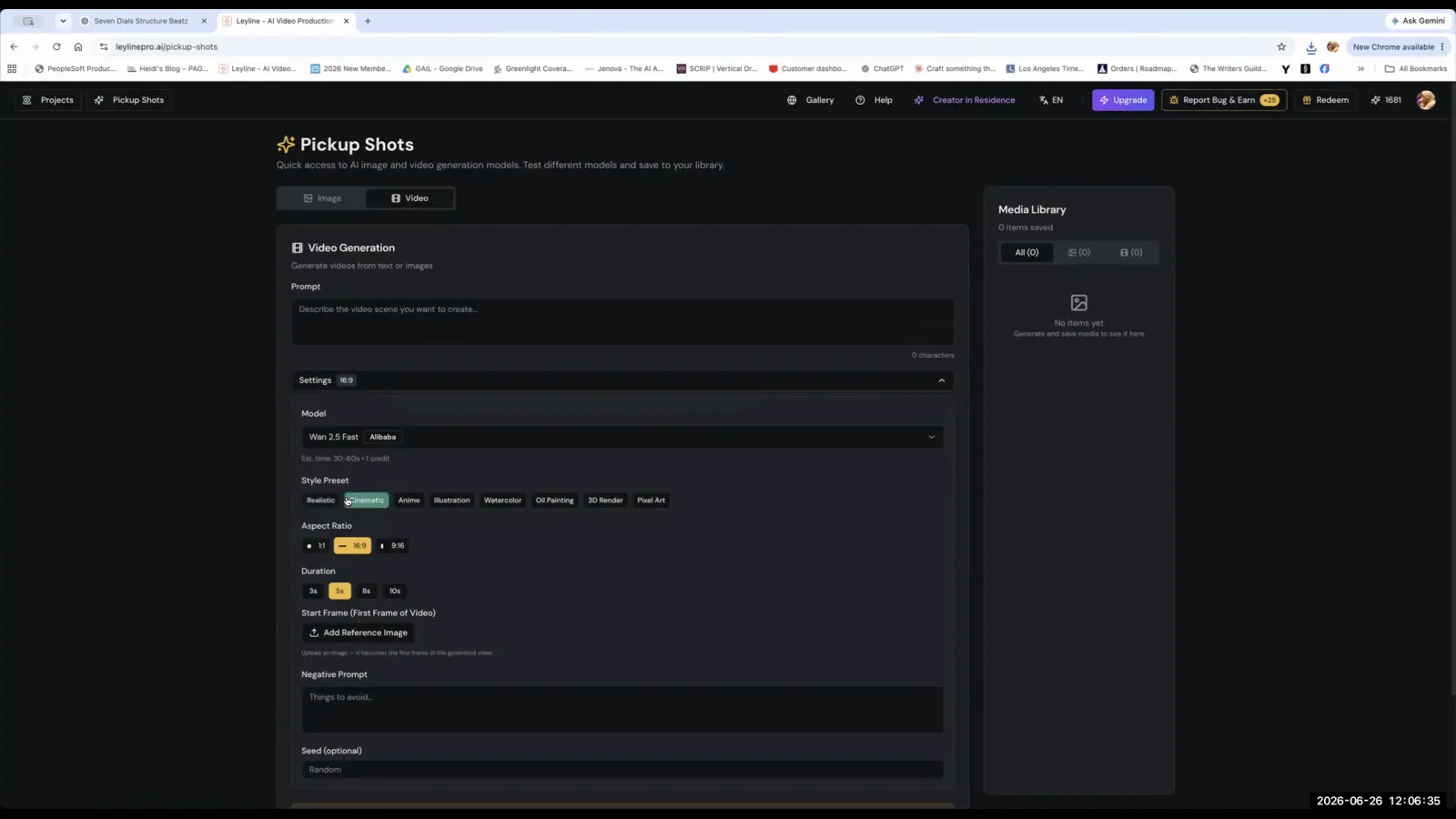
An AI video generator is a tool that creates short video clips from text prompts, reference images, and other inputs. These platforms use generative artificial intelligence models to interpret user commands and produce motion sequences. Instead of generating a complete film in one step, filmmakers use these tools to create individual shots which are later assembled into a coherent narrative. The technology is powerful but still has notable limitations. As AI filmmaker Austin Zartman, creator of the AI film series ASHES, states, "The AI is not quite there yet," highlighting that creators must work within the technology's current constraints to achieve their vision.
How do AI video generators work?
AI video generators work by processing user inputs like text prompts and reference images through a selected AI model to render individual video shots. The typical process involves navigating to a video generation section within a platform, choosing a model that suits the project's aesthetic, and providing it with references to guide the output. Austin Zartman advises users to, "Click video... and find a model that will allow you to put in references and start generating individual shots." This shot-by-shot method is fundamental to the current state of AI filmmaking. Creators do not generate entire scenes at once but build them from these smaller, individually prompted clips. This approach allows for greater control over each element of the final film but requires a different mindset than traditional filmmaking or editing.
What are the best AI models for video generation?
Specific models like Cling and C Dance offer superior controllability for generating AI video, particularly for maintaining character consistency. While other models are available, these are often preferred when a filmmaker needs to direct the AI's output with more precision. During a masterclass, an instructor noted, "V, C dance, cling, both are quite all are quite good. If you want more controllability, cling and C dance are better." This 'controllability' is crucial for tasks like keeping a character's face consistent across multiple shots, which is a common challenge in AI filmmaking. The choice of model directly impacts the quality and consistency of the generated footage, making model selection a key creative and technical decision in the production process.
What are the key settings for an AI video generator?
Key settings for an AI video generator include the aspect ratio and the model's style. It is critical to maintain a consistent aspect ratio, such as 9:16 for vertical video, throughout the entire project. The generator may fail to process media that does not conform to the project's specifications. For instance, "if you have that image that's 16 over 9, it wouldn't really be passed to the video generator," an instructor explained. This rule ensures that all assets are compatible. Additionally, choosing a model style, such as 'realistic', helps define the aesthetic of the output. These settings are often established when generating supplementary shots, where a creator might "add a reference image and choose whatever model you want to use" to fill gaps in their film.
How do you write effective prompts for AI video?
To write effective prompts for an AI video generator, you must provide a high level of detail to control the output. Vague prompts lead to generic or unpredictable results. The level of specificity required is comparable to what one might use when interacting with a sophisticated language model like ChatGPT. An instructor advises, "You need a bit more detailed prompt to control like what it says... the same level of information needs to go in here." Some creators even use other AI tools to help craft their shot lists. One masterclass attendee explained their process: "I went back to creating my key frames in chat GPT because I can argue with it." This method allows them to refine their ideas with the chatbot before committing them to the video generator, giving them more control over the final shots.
What are the current limitations of AI video generators?
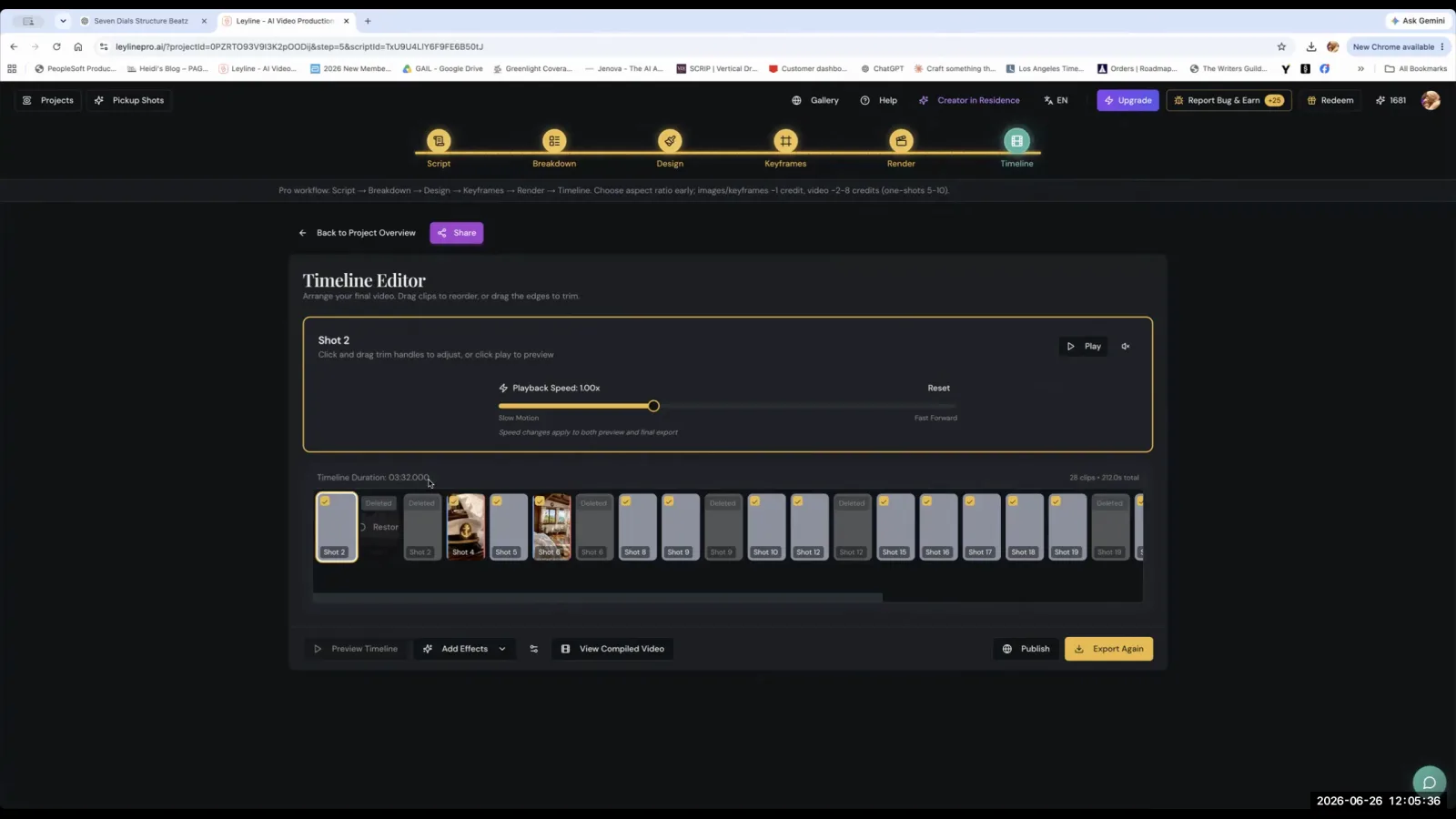
The current limitations of AI video generators include technical bugs, difficulty with shot compilation, and challenges in maintaining character consistency without a deliberate workflow. Austin Zartman notes that technical issues are common, citing a problem where a "cloud compiler" failed to play a full sequence of shots. He explained, "It happens when there are too many shots." This indicates that the platforms can struggle with larger, more complex projects. Furthermore, achieving consistent results requires a specific methodology. An instructor suggested a workflow to get the best consistency: "go to key frame, make sure your reference images are correct and do a few draws on the model." This iterative process of generating multiple versions, or 'draws', is currently the most reliable way to get usable, consistent footage from the technology.
Frequently asked questions
Can I use different aspect ratios in one AI video project?
No, you must use a single, consistent aspect ratio for the entire project, such as 9:16. AI video generators require this uniformity to process images and video clips correctly. An image with a mismatched aspect ratio, like 16:9, may not be passed to the generator at all.
Which AI models offer the most control?
According to AI filmmaker Austin Zartman, models named Cling and C Dance provide greater controllability over video generation. This is especially useful for maintaining the facial consistency of characters across different shots, a common challenge in AI filmmaking.
Why are my AI-generated videos inconsistent?
Inconsistency often comes from prompts that are not detailed enough or a workflow that lacks rigor. To improve consistency, use very specific prompts and a process of iterating with keyframes, correct reference images, and performing multiple 'draws' on the model until you get the desired result.
Can AI generate a complete movie from a single prompt?
No, current AI video generators are designed to create individual shots, not entire movies. Filmmakers generate these short clips one by one and then assemble them in a separate video editing program. The platforms can also face technical errors when handling too many shots at once.
Is it effective to use ChatGPT for creating shot lists?
Yes, some creators find it very effective to use a tool like ChatGPT to develop and refine their keyframes and shot lists. One filmmaker noted they prefer this method because it allows them to 'argue' with the AI to perfect their ideas before moving to the video generation stage.
Keep learning
This guide is part of the Troubleshooting AI Video Generation masterclass lesson.
Related guides:
Comments
Sign in with your Leyline account to join the conversation.