How to Use AI in Filmmaking: A Step-by-Step Guide
To use AI in filmmaking is to adopt a hybrid process that combines AI content generation with traditional post-production. The basic workflow involves generating video clips, voiceovers, and sound effects with various AI models. Filmmakers then assemble and refine these assets in a non-linear editing (NLE) program. This approach to use AI in filmmaking allows for rapid creation while keeping creative control over the final edit, sound design, and color grade.
How to Start When You Use AI in Filmmaking
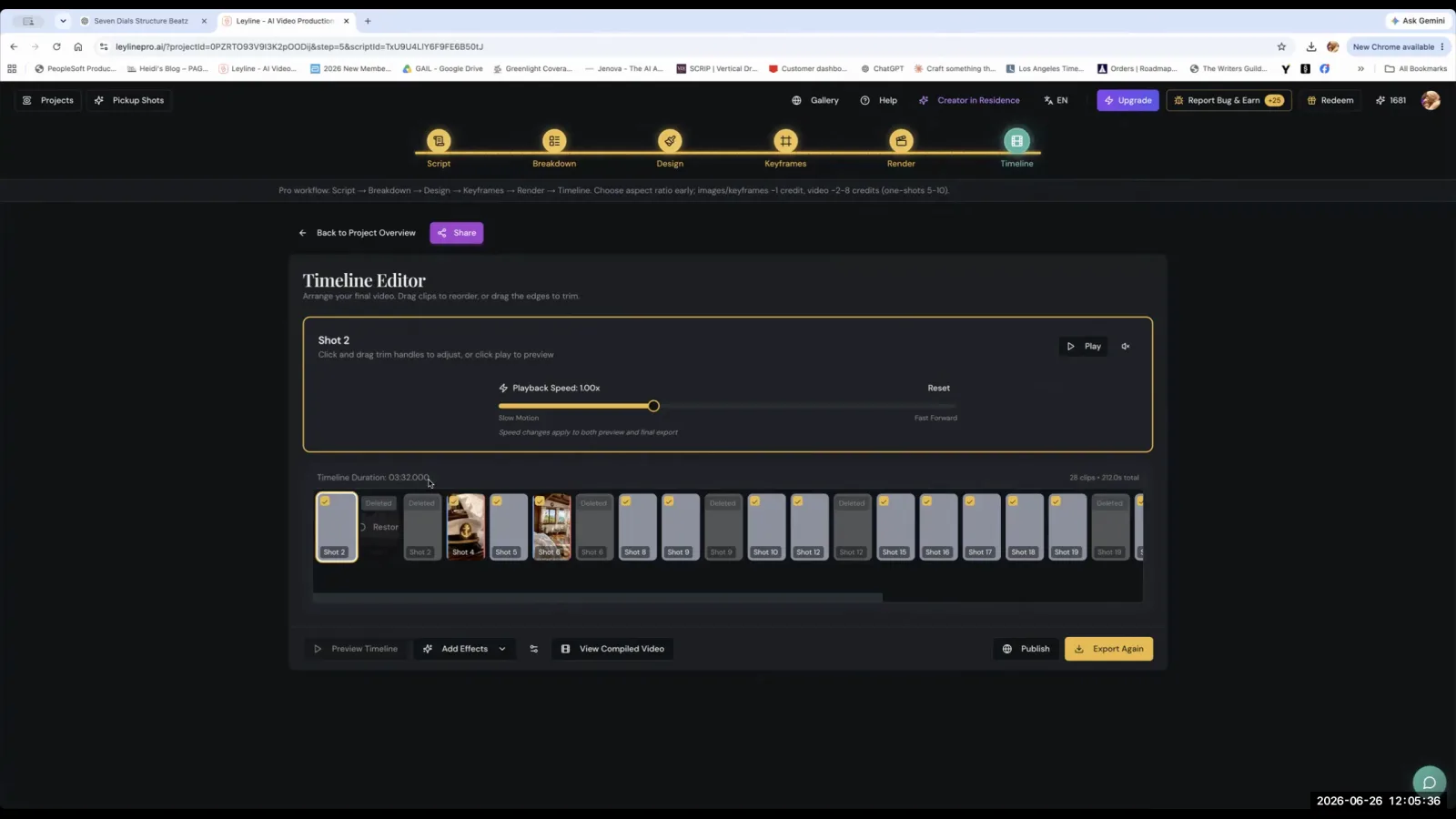
Begin your AI film project by choosing a non-linear editing (NLE) program to act as the central hub for assembling your AI-generated assets. AI filmmaker Austin Zartman recommends starting with either DaVinci Resolve or CapCut, as the fundamental editing principles are the same across most platforms.
Zartman notes that DaVinci Resolve is a powerful, free program with extensive features. He states, "I've been using it for the last eight months and I haven't found a need to use the paid version." While more complex, its capabilities are vast. For newer users, CapCut offers a less intimidating entry point. It is a lighter program with more constrained manipulation tools but includes built-in generative AI features. Zartman points out that with CapCut, "You can generate new clips from within their program," using their proprietary AI model, Dreamina.
What is the best way to generate AI video clips?
The most effective way to use AI in filmmaking for video generation is to break down complex scenes into simple, manageable components. Focus on prompting for a single action or a single camera movement at a time, as AI models often struggle with multi-step sequences. This approach gives you more control and produces more reliable results.
Austin Zartman provides a clear example from his work on the AI series ASHES. He initially tried to create a single 10-second clip of a robot punching through a bus window twice. He explains, "no matter how many times I generated, I just could not do it." The AI produced inconsistent and strange results. His solution was to deconstruct the shot. "Essentially what I did is I separated it, uh, into like three different components," Zartman says. He generated a clip for the first punch, a second clip for the next impact, and a third for the final frame, then stitched them together in his editor. This workflow is crucial for complex action sequences.
How do you handle complex camera movements?
Create complex camera movements, such as zooms and pans, within your editing software rather than trying to generate them directly with the AI model. By keeping your AI prompts focused on character actions, you reduce the complexity for the AI and get more consistent clips.
"One of the things that editing programs can do is that they can create the effect of simple camera movements," says Austin Zartman. He advises filmmakers to prompt for the core action and add the camera motion in post-production. For instance, instead of prompting for "two characters talk as the camera slowly zooms in on them," you would prompt for "two characters enter the frame and talk to each other." Then, in DaVinci Resolve or CapCut, you can add the slow zoom effect. This method saves the AI model from having to process multiple commands at once, leading to a cleaner and more predictable output. This is a key technique when you use AI in filmmaking.
How can you ensure continuity between AI-generated shots?
To create a smooth transition between two different AI-generated clips, use the exact end frame from the first clip as the starting image for generating the second clip. This technique ensures that the scale, position, and appearance of characters and objects remain consistent, making separate shots look like a single, uninterrupted take. This is a common challenge to solve when you use AI in filmmaking.
This method is particularly important when you need a character to move to a specific location or perform a continuous action across multiple generated segments. As Austin Zartman explains, "generally using like the in frame from one clip as the start of another, like taking that exact frame and putting it as a start will make it look smooth." This prevents jarring jumps or visual mismatches that can break the illusion of a continuous scene.
What is the "80% rule" in AI filmmaking?
The "80% rule" is a workflow philosophy to use AI in filmmaking where you aim for AI-generated clips that are approximately 80% of the way to your final vision, with the understanding that the remaining 20% will be achieved through traditional editing techniques. This relieves the pressure of generating a perfect clip every time.
Austin Zartman advises filmmakers to avoid "needing to feel like you have to generate perfect clips." Instead, get a clip that is mostly correct and use your editing software to refine it. With tools for reframing, speeding up, slowing down, and color correcting, you have significant control. Zartman states, "you get something that's 80% of the way there, but you know with editing or sound design, I can get it the rest of the way."
Where do you get sound and music for an AI film?
Sound and music assets can be sourced from several places, including built-in libraries within editing programs or specialized external AI platforms. Some software, like CapCut, has integrated tools that allow you to generate AI music directly within the program and add it to your timeline.
If your primary software lacks these features, you can turn to external services. Austin Zartman mentions that a platform like Layline allows users to generate voiceovers in the sound design section of its timeline. For more advanced audio needs, he recommends a dedicated tool. "I would say 11 Labs is one that I find, uh, incredibly useful for all of the uh, like sound and audio and and music effects that that that it gives you access to."
How do you create consistent character voices?
To create consistent voices for your characters, use a dedicated AI voice generation platform like 11 Labs. This tool allows you to either select a pre-existing voice from a vast library or design a completely new, custom voice for your characters. This is a powerful way to use AI in filmmaking for character development.
According to Austin Zartman, the 11 Labs library is extensive, offering many voices that can be sorted by accent, gender, and personality attributes. For his own work, he has simply browsed the list and found voices that fit his characters. Alternatively, for a unique character like his robot Rudy 5, he used the voice design feature. "Essentially designing a voice, all you do is you enter in a description of your character and how you want them to sound," he explains. This ensures the character sounds the same across the entire film.
What if your main AI tool can't create a specific shot?
If your primary AI video generator is struggling to create a specific shot, try using a different AI model, such as the one integrated into an editing program like CapCut. Different models have different strengths, and one may succeed where another fails. This flexibility is important when you use AI in filmmaking.
Austin Zartman shares an experience where he couldn't get a specific underwater shot he wanted using Layline. He then turned to CapCut's built-in AI, Dreamina. "I'm able to like extend some clips. And get things that I couldn't get trying to do it a million times in Layline," he says. This is because Dreamina is built on a different model from ByteDance, which interpreted his prompt differently and more effectively. Having multiple tools available provides valuable flexibility.
Frequently asked questions
What editing software is good for AI filmmaking?
AI filmmaker Austin Zartman recommends DaVinci Resolve for its powerful and extensive free version or CapCut for beginners due to its user-friendly interface and built-in generative AI features like Dreamina.
How should I write prompts for AI video generation?
Keep your prompts as simple as possible. Focus on a single, concrete action per generation. Save complex camera movements like zooms or pans to be created later in your editing software for more reliable results. This is a best practice when you use AI in filmmaking.
How do I fix a shot that the AI can't get right?
Break the complex shot into smaller, simpler components and generate each one separately. You can then assemble these shorter clips in your editor. Alternatively, try generating the shot using a different AI model, which may have different capabilities.
How do I make my AI-generated scenes flow together smoothly?
To ensure visual continuity, use the final frame of one clip as the starting image prompt for the next clip. This technique helps maintain consistent character placement, scale, and lighting, making the transition between shots appear smooth. It's a fundamental skill to use AI in filmmaking effectively.
Where can I find AI voices for my characters?
A platform like 11 Labs is a powerful tool for generating consistent character voices. You can either choose from its large library of pre-existing voices or design a unique custom voice by providing a text description of the character and their vocal attributes.
Keep learning
This guide is part of the Editing and Sound Design masterclass lesson.
Related guides:
Comments
Sign in with your Leyline account to join the conversation.