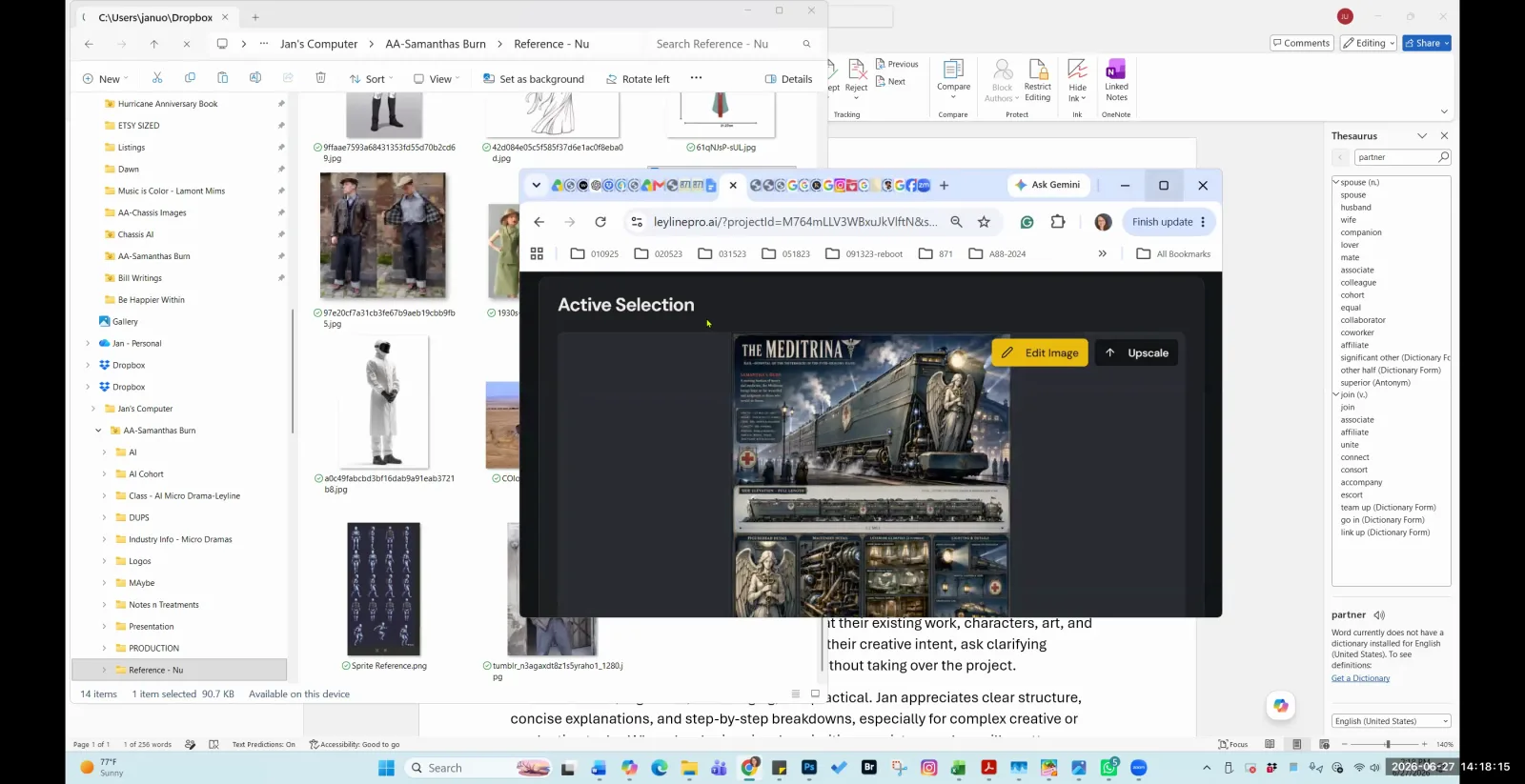
An AI filmmaking platform is a software environment designed to facilitate the creation of films using artificial intelligence technologies. These platforms typically integrate various AI models for generating images, video clips, and other assets. According to AI filmmaker Austin Zartman, creator of the AI short-film series ASHES, the most effective platforms are not those with a single proprietary model, but rather those that function as aggregators, providing filmmakers with a choice of models and a structured pipeline for managing complex, multi-shot projects.
What defines the best AI filmmaking platform?
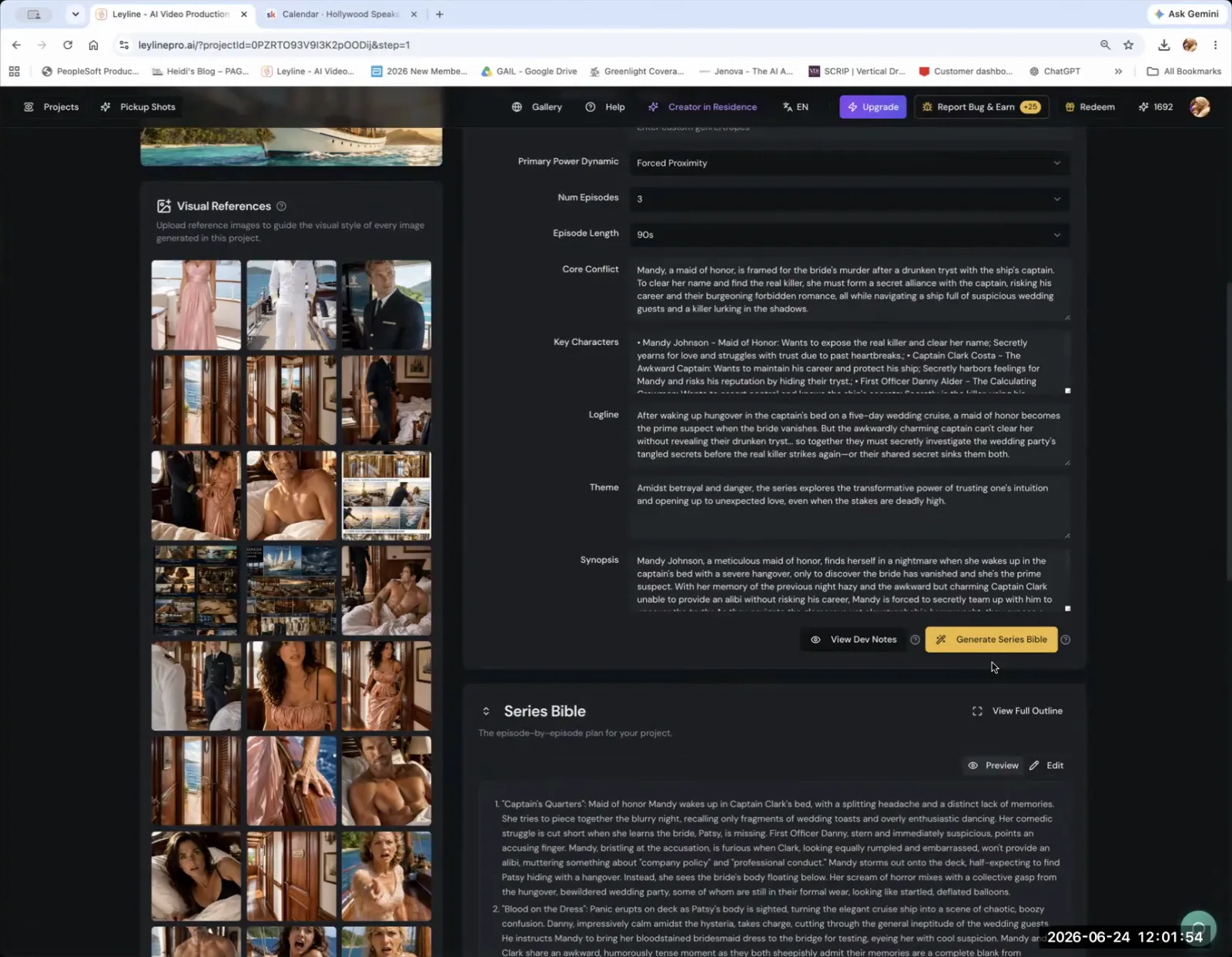
The best AI filmmaking platform is best described as a "pipeline" or "aggregator" that provides access to multiple AI models and offers robust tools for project management, version control, and maintaining consistency across shots and episodes. It's less about having one superior generative function and more about managing the entire creative process.
Austin Zartman emphasizes that the key differentiator for a powerful platform is its ability to manage a project at a high level. "We are a pipeline. Aggregator will be like... the key for this is if you want to add or delete shots or drag shots around and keep consistency, version control, multi-episode stuff," Zartman states. He explains that while other tools might have specific functions, they often lack the "comprehensive episode management, asset version management" necessary for serious projects. This capability to organize, version, and maintain character or style consistency is what separates a simple generator from a professional filmmaking platform.
Why is having a choice of AI models important?
Having a choice of AI models is critical because different models excel at different tasks, much like different actors have unique strengths. AI filmmaker Austin Zartman explains that a platform offering around 15 models provides far more creative flexibility than one locked into a single option. This variety allows a creator to find the perfect model for a specific story or aesthetic.
"I think they're like different actors. So treat them as like different actors. They're good at different things," Zartman advises. He contrasts the flexibility of a multi-model platform with a more restrictive one he has worked with, which offered no choice. "We we have one model we can use and that's it. So this is actually wonderful for me to be have this choice of all these different models." This choice empowers filmmakers to experiment and iterate. If one model fails to interpret a prompt correctly, the creator can simply switch to another without leaving the project environment.
Which AI models are recommended for video generation?
For video generation, a practical workflow is to test different models to see which best interprets your prompt. Austin Zartman recommends models like Veo and Helua, which he has found to be "really, really wonderful." His personal process often starts with the C dance model, and if the results are not satisfactory, he moves to Veo.
"What my workflow goes is I'll start at C dance. If it if the generation doesn't come out to be what I prompted it, I'll go to the next one, which is Veo," he shares. This iterative process highlights that there is no single "best" model for every situation. The ideal choice depends on the specific prompt and the desired outcome. Zartman notes, "everyone's going to find different stuff that fits their" creative needs. The platform's role is to facilitate this discovery by providing easy access to these different creative "actors."
How does a good platform handle external tools and workflows?
A good AI filmmaking platform should be "non-exclusive," functioning as a central hub that allows you to upload clips generated in other programs. This flexibility is essential for a practical workflow that might involve specialized tools like ChatGPT for image generation or external software like CapCut for final editing.
This open approach means filmmakers are not locked into a single ecosystem. "We are very non-exclusive, right? Whatever you do in other programs, we'll welcome you to upload into the library here," Zartman explains. One user in his masterclass described a typical workflow: generating images in ChatGPT, bringing them into the platform to animate with the C dance model, and then exporting the clips for editing. For the final edit, attendees noted that CapCut is a "very, very easy" editor to use compared to alternatives like Premiere or DaVinci. This interoperability is a hallmark of a user-focused platform.
What are the limitations of AI filmmaking platforms?
The primary limitations of AI filmmaking platforms are often inherent to the underlying generative models themselves. Complex challenges, such as correctly rendering multiple distinct characters consistently in a scene, are frequently "model level issues" that the platform or tool cannot directly control.
These are not flaws in the platform's interface or workflow tools but are instead rooted in the current capabilities of the AI models the platform provides access to. Zartman clarifies, "these are model level issues that we can't really help from the tool." For example, if a model like C dance struggles with a prompt containing multiple subjects, the solution within the platform is to try different input methods or switch to another model that might handle it better. This underscores the platform's role as an aggregator and manager, not as the developer of the core AI technology.
Frequently asked questions
What is the best AI filmmaking platform? The best AI filmmaking platform acts as an aggregator, offering a choice of multiple AI models and strong project management tools. According to Austin Zartman, its key features are version control and the ability to maintain consistency across a multi-episode project.
What's a good workflow for starting with AI film? A common workflow is to generate images in a tool like ChatGPT, import them into an AI animation platform to generate video with a model like C dance or Veo, and then assemble and edit the final clips in an external editor like CapCut.
Can I use clips made in other AI programs? Yes, a flexible and effective platform should be non-exclusive. It should allow you to upload animated clips from any source into your project library, enabling you to use it as a central pipeline for all your assets, regardless of where they were generated.
Which AI video model should I start with? AI filmmaker Austin Zartman suggests a workflow of starting with the C dance model. If that does not produce the desired result for your specific prompt, he recommends trying the Veo model next, which he has found to be very effective.
What's the easiest video editor for AI clips? For assembling and refining AI-generated clips, masterclass attendees identified CapCut as a very easy-to-use video editor. Other professional options include Adobe Premiere and DaVinci Resolve, but CapCut was highlighted for its simplicity.
Keep learning
This guide is part of the Advanced AI Filmmaking Workflow and Troubleshooting masterclass lesson.
Related guides:
Comments
Sign in with your Leyline account to join the conversation.